
Design Studio gives you a flexible way to design professional messages while maintaining brand consistency across your workspace.
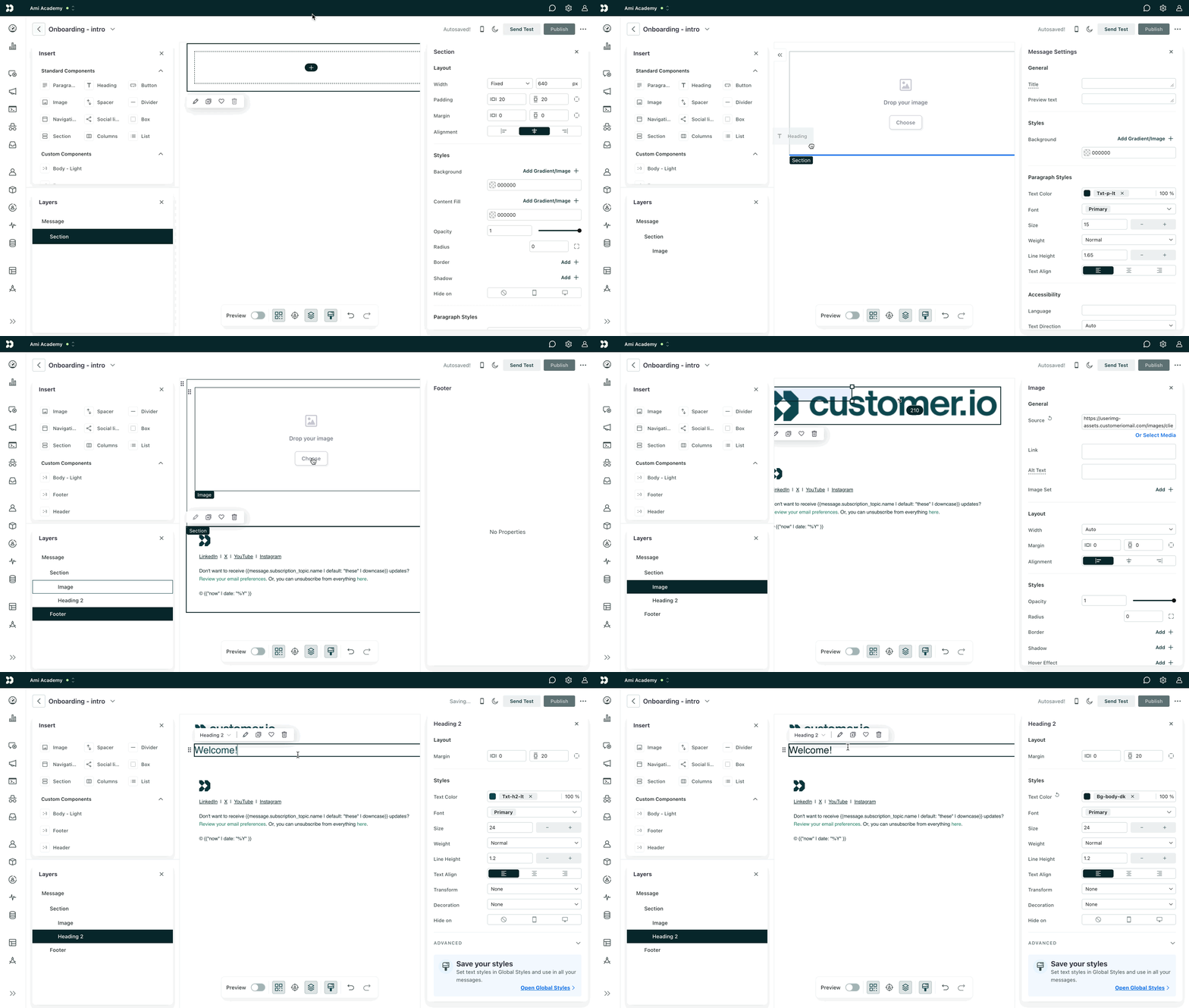
What You Can Do in Design Studio
With Design Studio, you can:
-
Build emails using a drag-and-drop visual editor
-
Switch to a code editor to edit HTML/CSS directly
-
Create and reuse content blocks
-
Apply global brand styles
-
Preview messages across devices and accessibility modes
-
Send test messages and collaborate with teammates
Access depends on your workspace role:
-
Admins & Authors: full editing access
-
Viewers: read-only access
Visual Editor vs Code Editor
Every email includes two editing modes:
Visual Editor
-
Drag-and-drop components
-
Style content from the sidebar
-
Insert personalization (Liquid)
-
Best option for building emails from scratch
Code Editor
-
Edit HTML/CSS directly
-
Useful for importing existing templates
-
Includes developer tools for validation and accessibility checks
If you’re unsure which to use, start with the visual editor.
Reusable Components
To keep emails consistent and scalable, you can use:
-
Standard components (headings, text blocks, buttons, columns, etc.)
-
Custom components (your own reusable blocks)
Reusable components help maintain brand alignment and speed up production.
Global Styles
You can define workspace-wide styles for:
-
Fonts
-
Colors
-
Buttons
-
Spacing
-
Border radii
Once set, emails automatically inherit these styles — keeping branding consistent without manual formatting in every message.
Localization
Design Studio supports multi-language emails.
To localize:
-
Store language preference as a person attribute.
-
Add translated versions inside the email.
-
Select which language attribute to use.
You can also use AI-powered translation to generate language variants.
Preview & Testing Tools
Before sending, you can preview:
-
Desktop vs mobile
-
Light vs dark mode
-
Images blocked
-
Accessibility views (e.g., color blindness)
-
Personalized data rendering
You can also:
-
Send test emails
-
Share drafts with teammates
-
Manage versions
Note: Only one person can actively edit a Design Studio message at a time.
Connecting to Campaigns
A Design Studio email must be connected to:
-
A campaign
-
A broadcast
-
A transactional message
After making edits, you must publish changes for updates to take effect.