
Each record represents a person you’ve identified — meaning they’ve been added or updated through an integration, form submission, or workflow.
From this page, you can:
-
Search for a specific person
-
Filter by attributes or segments
-
Click into a profile to see full details
What You’ll See on a Person’s Profile
When you open a profile, you’ll see a complete history of that individual — including their data, activity, and messaging history.
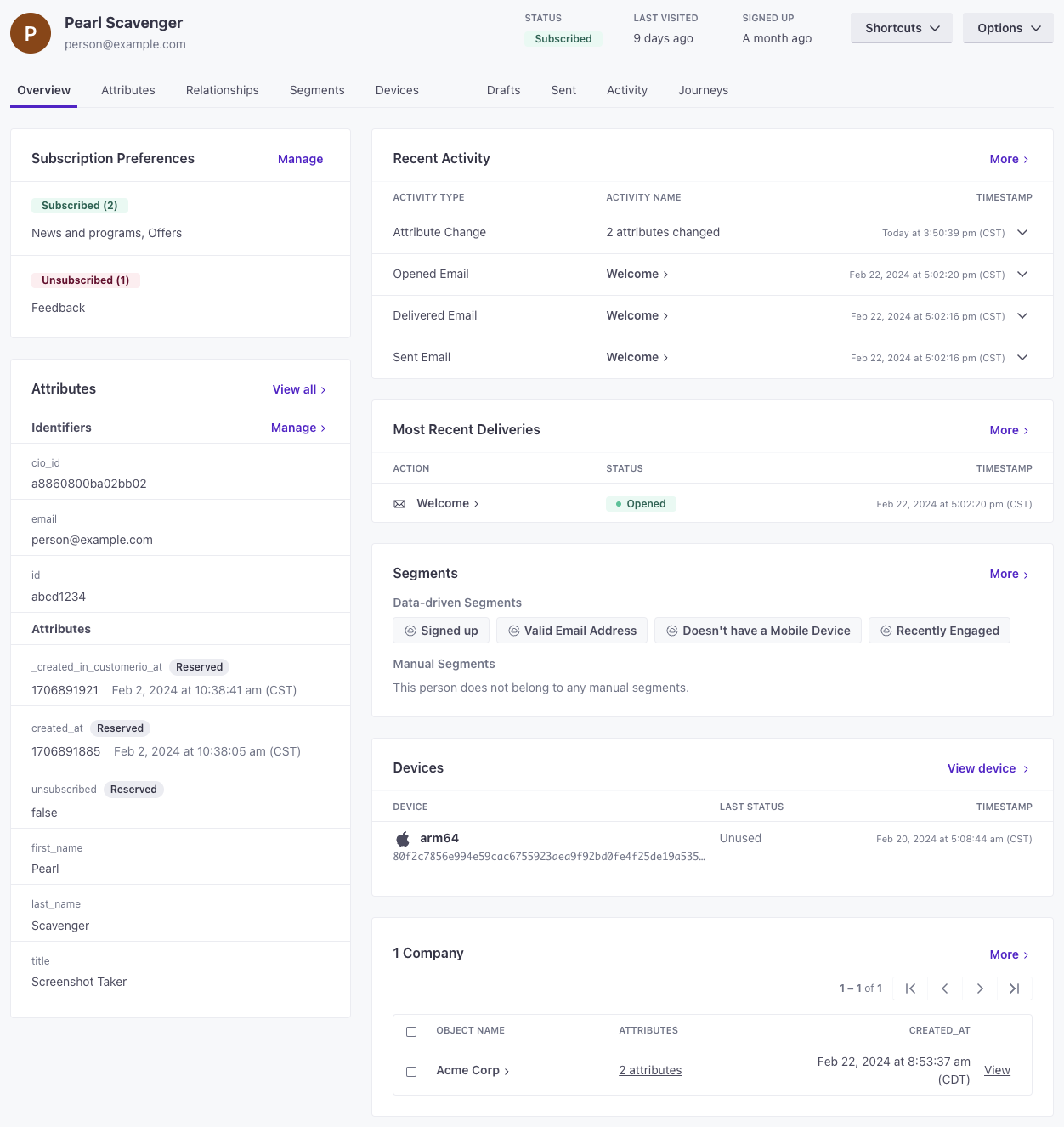
1. Subscription Status & Preferences
If you use a Subscription Center, you’ll see:
-
Whether the person is globally subscribed or unsubscribed
-
Which specific topics they are opted into or out of
This helps you understand what communications they are eligible to receive.
2. Identifiers & Attributes
Attributes are the data fields stored for a person, such as:
-
Email address
-
Name
-
Phone number
-
Custom fields (location, plan type, referral source, etc.)
Attributes are used to:
-
Personalize messages
-
Trigger campaigns
-
Build segments
The Attributes tab shows the full list of data stored for that individual.
3. Activity History
The Activity section shows a timeline of what the person has done, including:
-
Events they’ve triggered
-
Messages they’ve received
-
Opens and clicks
-
Attribute updates
-
Segment entry/exit
This is useful for troubleshooting (e.g., “Why did they get this message?”).
Note: If someone opens an email multiple times, you may see multiple entries. The first-open timestamp and the most recent activity timestamp can differ.
4. Deliveries
“Deliveries” are the actual instances of messages sent to that person.
A message is what you build in a campaign.
A delivery is the personalized version sent to a specific individual.
Here you can see:
-
Sent
-
Delivered
-
Opened
-
Clicked
-
Bounced
-
Suppressed
5. Segments
This section shows:
-
Segments the person belongs to
-
Segments they do not belong to
Segment membership determines:
-
Who receives campaigns
-
Who qualifies for automation
You can track segment changes in the Activity log.
6. Devices (if applicable)
If mobile SDKs are enabled, this shows devices associated with the person (phones, tablets, etc.).
7. Relationships
Relationships show non-person entities connected to the individual (e.g., company, account, organization).
This is useful in B2B or multi-location environments where messaging may depend on associated objects.
When You’ll Use This Page Most
-
Troubleshooting why someone received (or didn’t receive) a message
-
Checking opt-in / unsubscribe status
-
Verifying stored contact data
-
Reviewing engagement history
-
Confirming segment membership