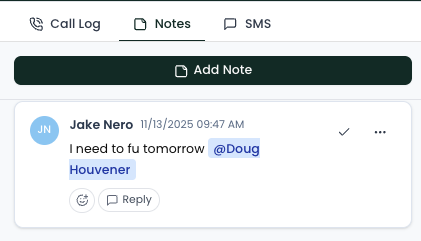
The right-hand panel in the Lead Profile allows you to log outreach attempts and collaborate with team members.
Logging a Call
-
Open a lead.
-
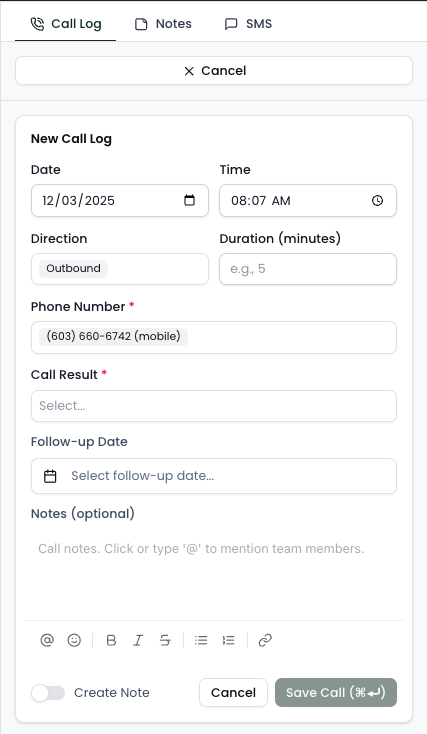
Click Log Call
-
Enter:
-
Date/Time of call
-
Duration (optional)
-
Call Result
-
Next Follow-up Date
- Notes
-
Notes (With Team Collaboration)
With notes, you can:- Use @ to mention a teammate and they will receive a notification
- Reply to a note in a thread to keep things organized
- Mark a note as resolved
- Respond to notes with emojis 👍