
If you have previously accessed Second Door and are longer able to access your password or no longer remember to access your account, the best course of action is to try resetting your password.
Head to providers.seconddoor.app, then click Forgot Password.
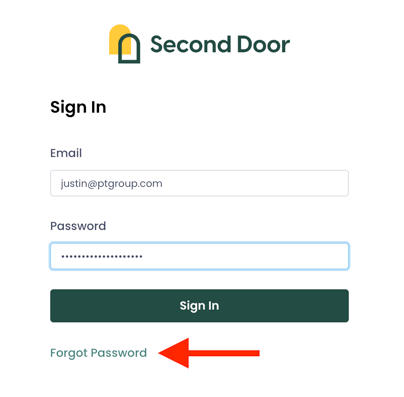
Enter your registered email, then hit Send Reset Password Instructions. If a user account exists for the email provided, you will receive instructions with next steps.
Setting a New Password
In order to create a password in Second Door, please ensure that your password contains at least eight characters in length, contains at least one letter, one number, and one special character.
Important Note: hyphens may not be included as a special character. Hyphens will cause an error that will cause an error in your password.
If You Don't Receive a Password Reset Email
The most common reasons we see are:
- The wrong email was used to sign in
- The account was never set up fully from the initial invitation
In both cases, we recommend reaching out to your account admin to either resend the invitation to join Second Door, or to verify the email used to log in to your account. If you're still stuck, the Second Door Support Team is here to help, too!