
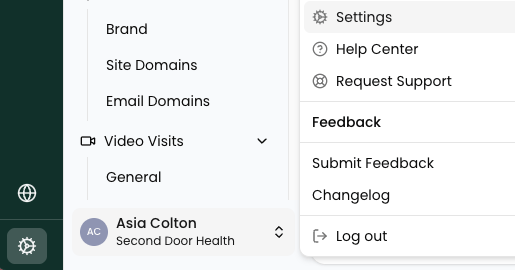
To add a new user to Second Door, navigate to Settings. Do this by clicking on the cog wheel at the bottom left of Second Door, or by clicking on your name and then Settings.
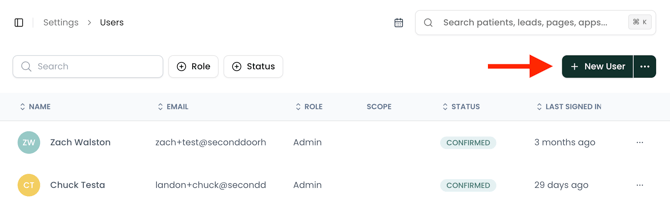
Once in your Settings menu, under Organization, click Users, then click New User.
From here, you'll populate key information about the new user, including email, their role in your organization (more on roles here), and specific notifications they'll need to receive.
Hit save, and the new user will receive a welcome email to complete their profile.
If the user does not accept their invitation within 7 days, you'll see a status of Expired, and you'll need to resend the invitation link. Read more on expired invitations in this article.
Note: bulk upload is also supported—click the '...' button next to New User to access it. Follow the prompts on-screen to complete your bulk upload.